
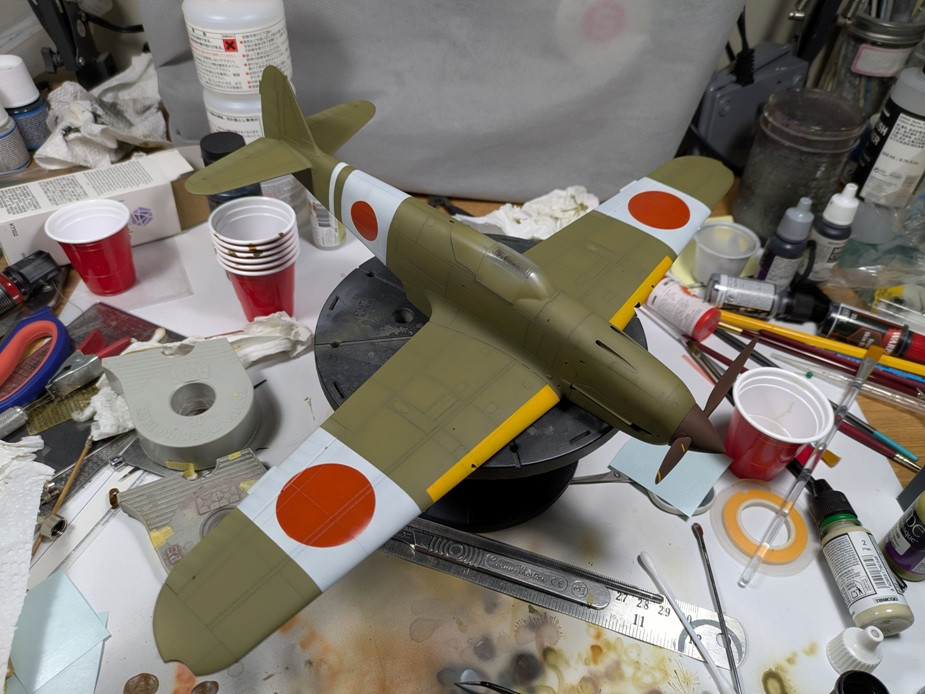
Make Your Own Masks!
Can't find decals for that cool squadron insignia or unit marking? Why not make a set of masks and paint instead?
For simple shapes such as a circle for the Japanese Hinomaru, all you need is a ruler and a circle cutter, such as the OLFA Compass Circle Cutter.
For more complex insignias, simply find or create the image you need and import them into your preferred photo editing program or word processor. Scale the image to the size you need and if possible transform the image into black and white only. Tape a piece of Tamiya Masking Sheet (available with grid or without) to a standard piece of 8.5x11" paper and load it into your laser printer. Print your image using the best resolution and the darkest settings and voila!
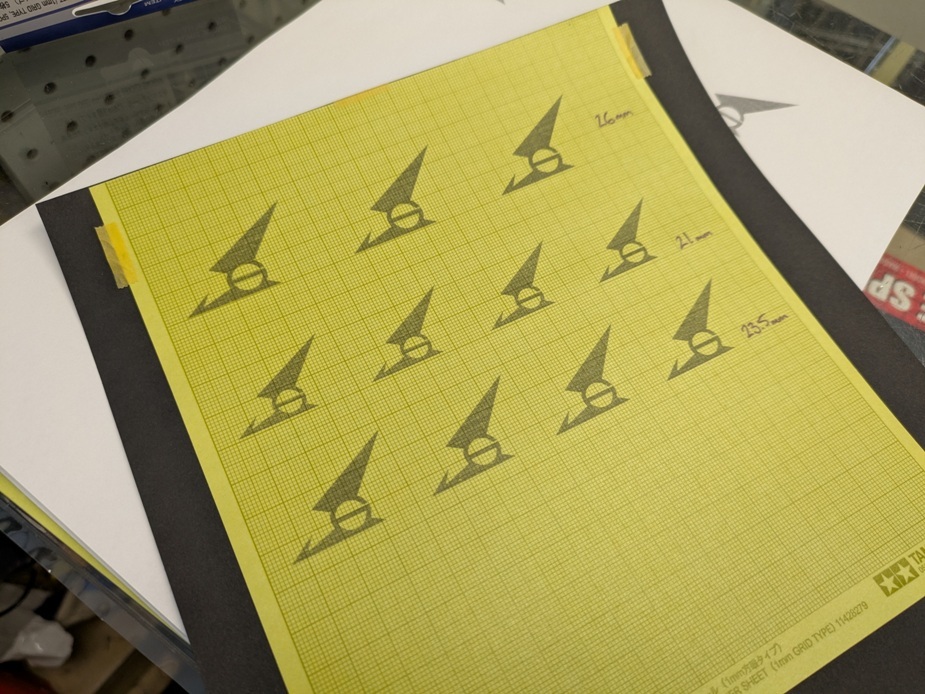
Now all you have to do is carefully cut out your image, apply it to the model and start painting.
In our example, we are building the 1/32 Hasegawa Ki-61 "Tony" in the markings of the 56th Sentai based near Oasaka in 1945. Unable to find a decal for the unique squadron insignia, we elected to make a mask and paint it instead. Results speak for themselves.
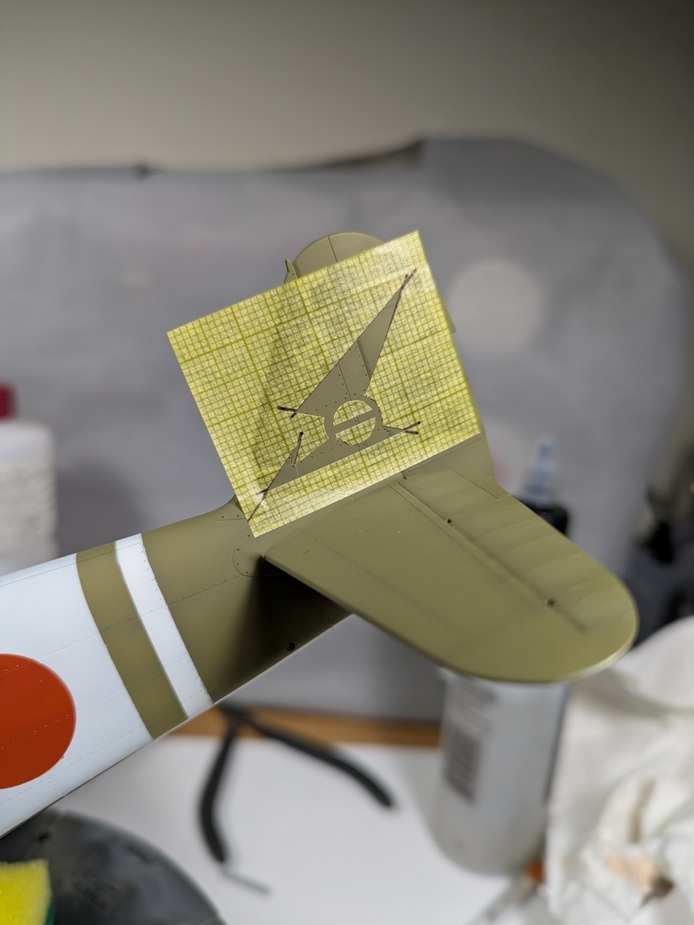
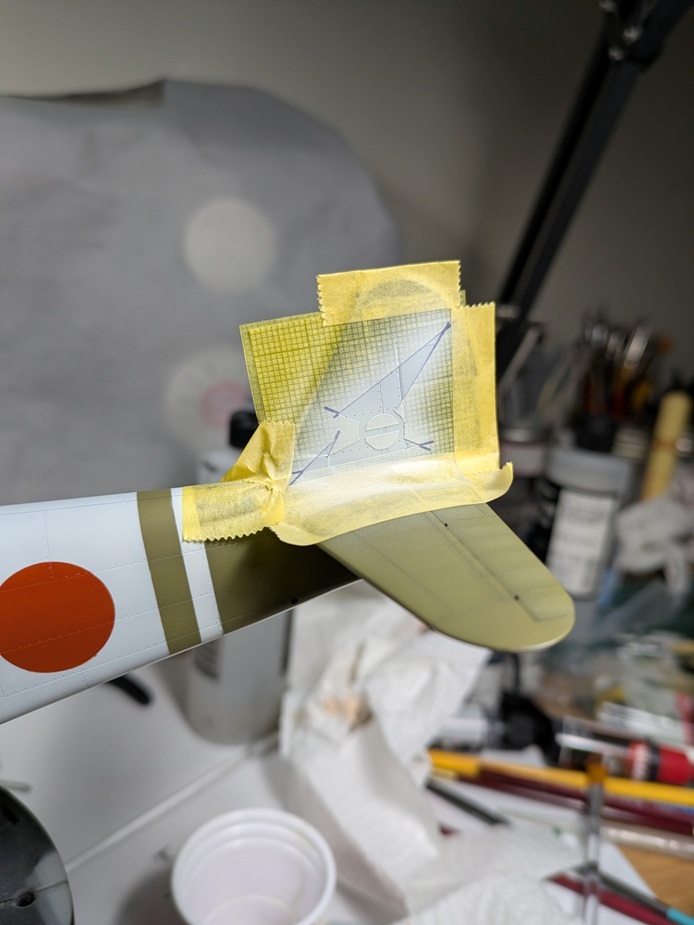
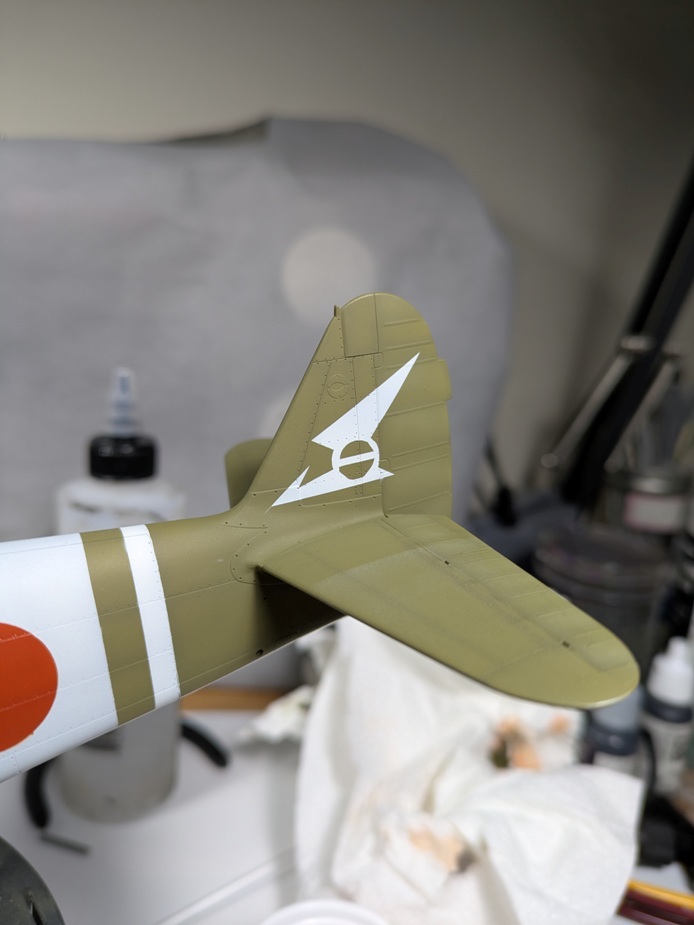
Modern decals are fantastic, but they still don't beat that "painted-on look"
NOTE! Different lasers printers are different. Always test to make sure your printer will feed the masking sheet properly. You may need to use alternate settings or the manual feed slot.
Recent Posts
-
What Glue Should I Use? A Scale Modelling Adhesive Guide
Wheels & Wings Hobbies · Counter Notes What Glue Should I Use? Lessons from the paint counter at W …Oct 16, 2026 -

John's Starcraft Zerg Queen Paint Guide - Build Feature
Wheels and Wings Hobbies - Miniature Paint Guide John's Starcraft Zerg Queen Archon Studio - Starcra …Sep 24, 2026 -
Vlad's Tomb King on Necrolith Bone Dragon Paint Guide - Build Feature
Wheels and Wings Hobbies - Miniature Paint Guide Vlad's Tomb King on Necrolith Bone Dragon Warhammer …Sep 10, 2026